
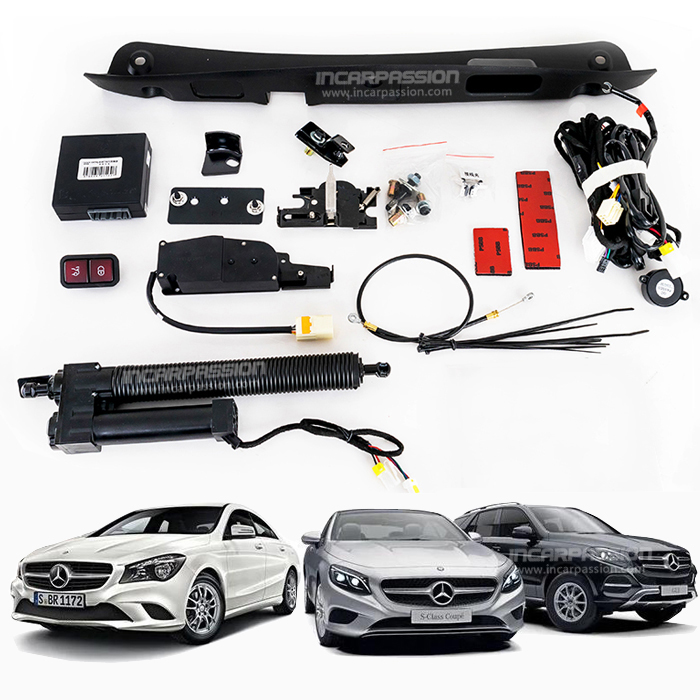

This installation instruction will show you how to install the a electric tail gate lift system for Mercedes E Class W213, so we can open the trunk automatically and smoothly via a button or key.
Product link: Mercedes Benz Electric Tail Gate Lift, Hand-free Access Trunk
1, Remove the trunk cover
2, Remove the plastic board as picture show
3, Remove the springs of both side,, add the revet (as picture show position)

4, Install the product bracket
5, remove original plastic buckle install product bracket and ball head
6, Fasten the ball head bracket

7, Remove original lock, install suction lock board (before removing
original lock, use pen to mark the lock position)
8, Install suction motor, pull cable go through position as picture show
9, Negative cable connect to GND

10, Remove the screws as the arrow show, take out fuse box
11, Product red signal cable connects to original brown red cable, orange signal cable connects to brown cable
12, open the buckle as arrow show and take out fuse box

13, Take out the screws of power cable and connect product power cable
14, Expand hole at this position
15, Install the button

 Audi
Audi BMW
BMW Mercedes Benz
 BYD
BYD Cadillac
 Chery
Chery Ford
Ford Honda
Honda Hyundai Kia
 Jaguar
 Jetour
 Lamborghini
 Land Rover
 Lexus
Lexus Li Auto
 Mazda
Mazda Nissan
 Porsche
 Tesla
Tesla Toyota
 Volkswagen
 Volvo
Volvo